
This guide is available as a video:


If we sent you a temporary password, please change it after logging in. We recommend enabling two-factor authentication (2FA) for your account.
Your Zomex client account is where you manage your hosting services, licenses and domains, view and pay invoices, and request support. Your Zomex account login is separate from your email mailbox, cPanel and WordPress logins.
Login To Your Account
1. Open the Zomex login page or click on the icon in the top right of our website.
2. Enter your Zomex login email address and current password, then click Login. If this is your first login and we sent you a temporary password in your welcome email, use that password.
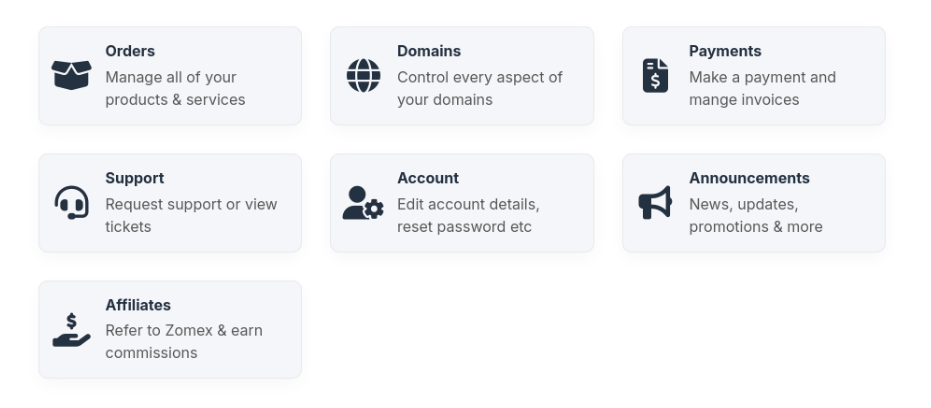
Once you have logged-in you will have access to all of your services with us. If you used a temporary password, you should now replace it with your own password. If you already use your own password, you do not need to change it as part of the migration.
Change Your Password
You can change your Zomex password using the steps below. If we provided a temporary password in your welcome email, replace it with a strong, unique password after your first login.
1. Log in to your Zomex account.
2. Open the Change Password page.
3. Enter your current password and your new password, confirm it and save your changes.
This changes your Zomex account password only; it does not change the passwords used by your email apps or WordPress.
Two-Factor Authentication
We recommend enabling two-factor authentication (2FA) to add an extra layer of security to your Zomex account. When enabled, you will also need a code from an app on your phone to log in.
For setup instructions, please follow our two-factor authentication guide.
Forgotten Your Password?
Use the password reset link on the login screen and enter the email address you use to log in to Zomex. Follow the instructions sent to that address. Check your spam or junk folder if the message does not arrive.
If you cannot find your welcome email, no longer have access to your login email address, or have any other issue with logging in, please contact us. I will be happy to help.
Request Support
We hope you found this documentation useful. If you run into any issues we will be happy to assist you.