


WizardPanel for WHMCS comes with a wide selection of ready-made HTML allowing you to easily generate pre-integrated and fully responsive elements. Elements include feature boxes, pricing tables, buttons & more. You can use these HTML Snippets in existing pages or within a newly created page.
Using HTML Snippets
You will find the HTML Snippets of your design via HTML Snippets tab of the options panel which is accessible via your WHMCS admin panel under Addons > WizardPanel.
To install an element all you need to do is copy the code form the HTML Snippets page and paste within the page you'd like to use it on.

For example you could use it within:
whmcs_path/templates/your_design/company.tpl
Visit the page of your website and you will see the element displayed:
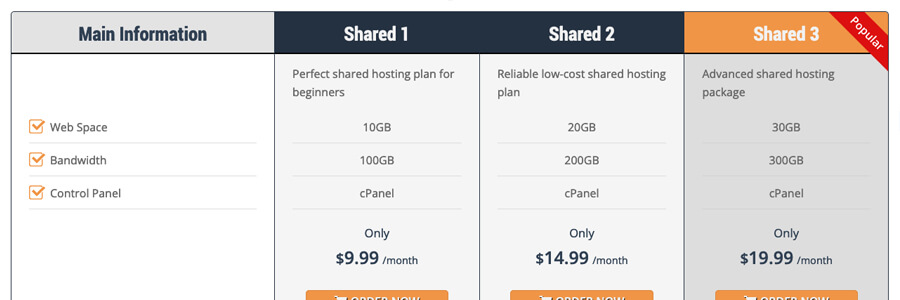
All HTML Snippets will generate fully functional and responsive elements, all you will need to do is edit the content as needed. You can use and display as many HTML Snippets as you like on a single page.
Request Support
We hope you found this documentation useful. If you run into any issues we will be happy to assist you.